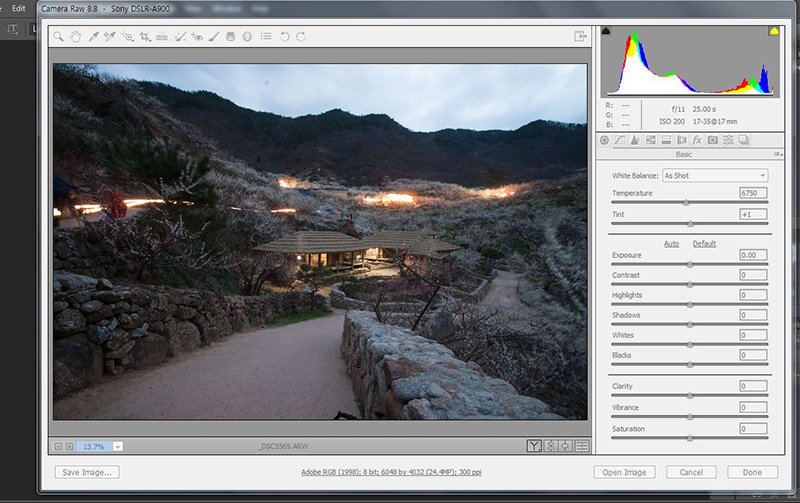
설치 하시면 이런 화면을 볼수 있습니다.
CC 또는 CS6 을 위한 것입니다. 하위 버전은 안됨.
CameraRaw_8_8.zip(250M)
If you haven't been able to successfully update the Camera Raw plug-in for CS6, CC, or CC 2014 Adobe applications, use the installers below.
Download the appropriate file below, then follow these instructions:
Windows
Exit from your Adobe applications.
1.Double-click the downloaded CameraRaw_8_8.zip to unzip it. Windows might unzip the file for you.
2.Double-click the resulting CameraRaw_8_8.exe file to start the installer.
3.Follow the onscreen instructions.
Restart your Adobe applications.
Mac OS
Quit all Adobe applications.
1.Double-click the CameraRaw_8_8.pkg.zip file to unzip it.
2.Double-click the CameraRaw_8_8.pkg file to start the installer.
3.Follow the onscreen instructions.
Restart your Adobe applications.
Camera Raw 8.8
Windows
* CameraRaw_8_8.zip
Mac OS
* CameraRaw_8_8.pkg.zip
from : https://helpx.adobe.com/x-productkb/multi/camera-raw-plug-in-installer.html
[이 게시물은 최고관리자님에 의해 2019-09-28 19:56:26 bbs에서 이동 됨]
|
 작성일 : 15-04-05 04:52


 수원.안양사진클럽
 조회 : 1,867